

Uploading Images and Videos to Preimage
Create a scan in the intended project, select its input type, and choose the outputs you need. Check the capture date and alignment reference before submitting.
Uploading Scans
Watch the video tutorial below, or follow the step-by-step guide.
Preimage Upload Tutorial
Step-by-step Guide
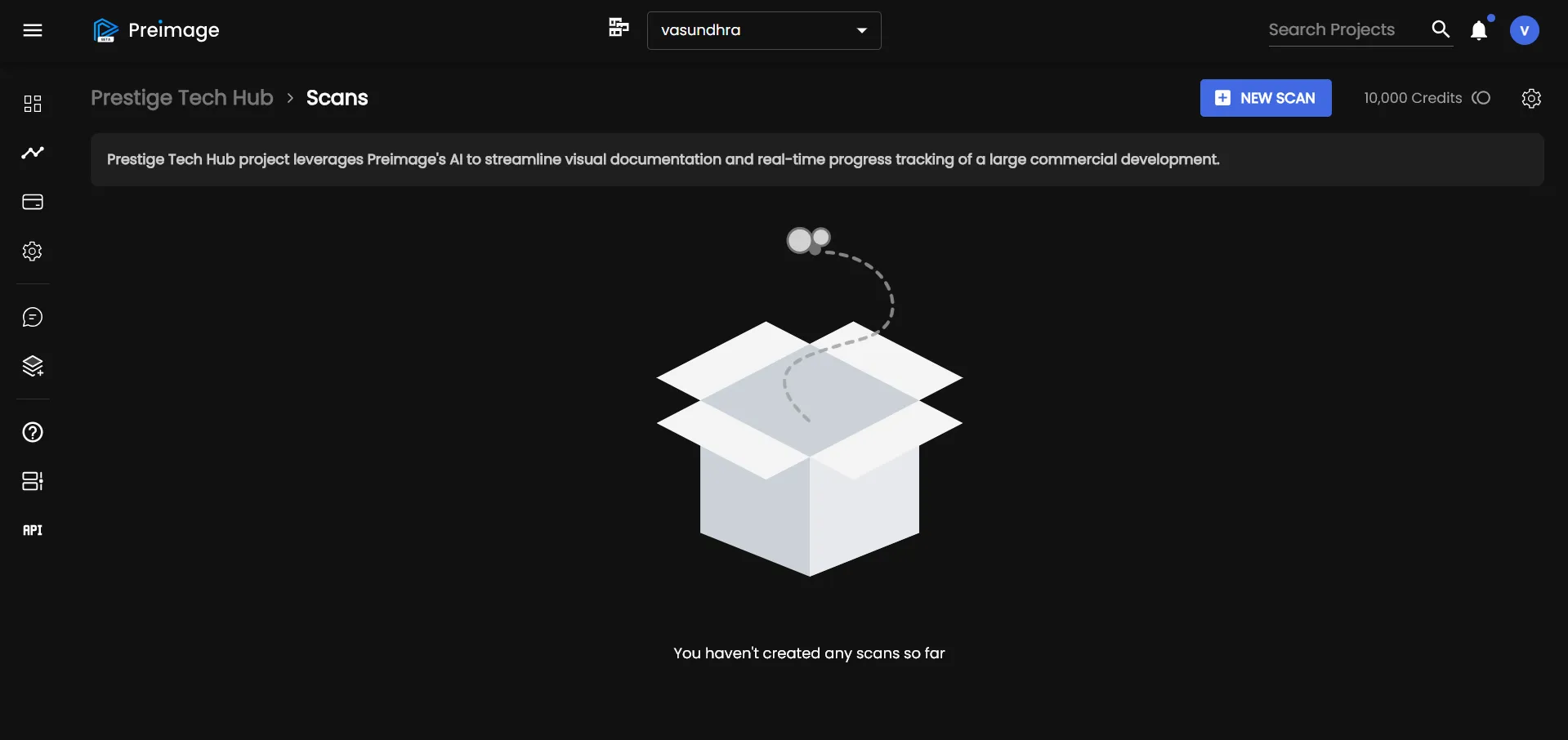
1. Click “+ New Scan”
From your project dashboard, select the “+ New Scan” button.
2. Choose Your Scan Type
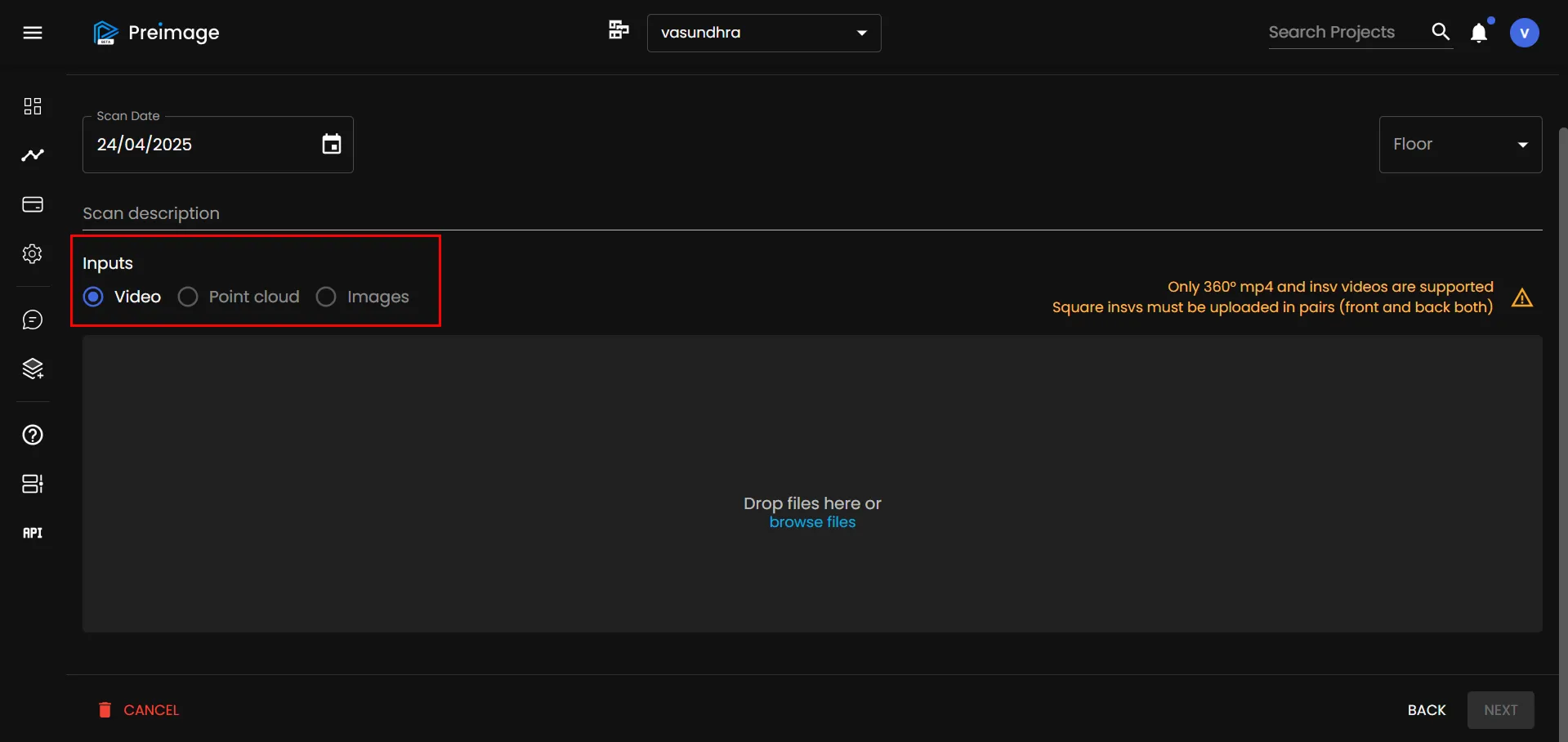
You can upload various types of scan data:
- 360° Video
- Drone Photographs
- Point Cloud (LiDAR or photogrammetry)
3. Add Scan Details
Add a description and select the capture date.
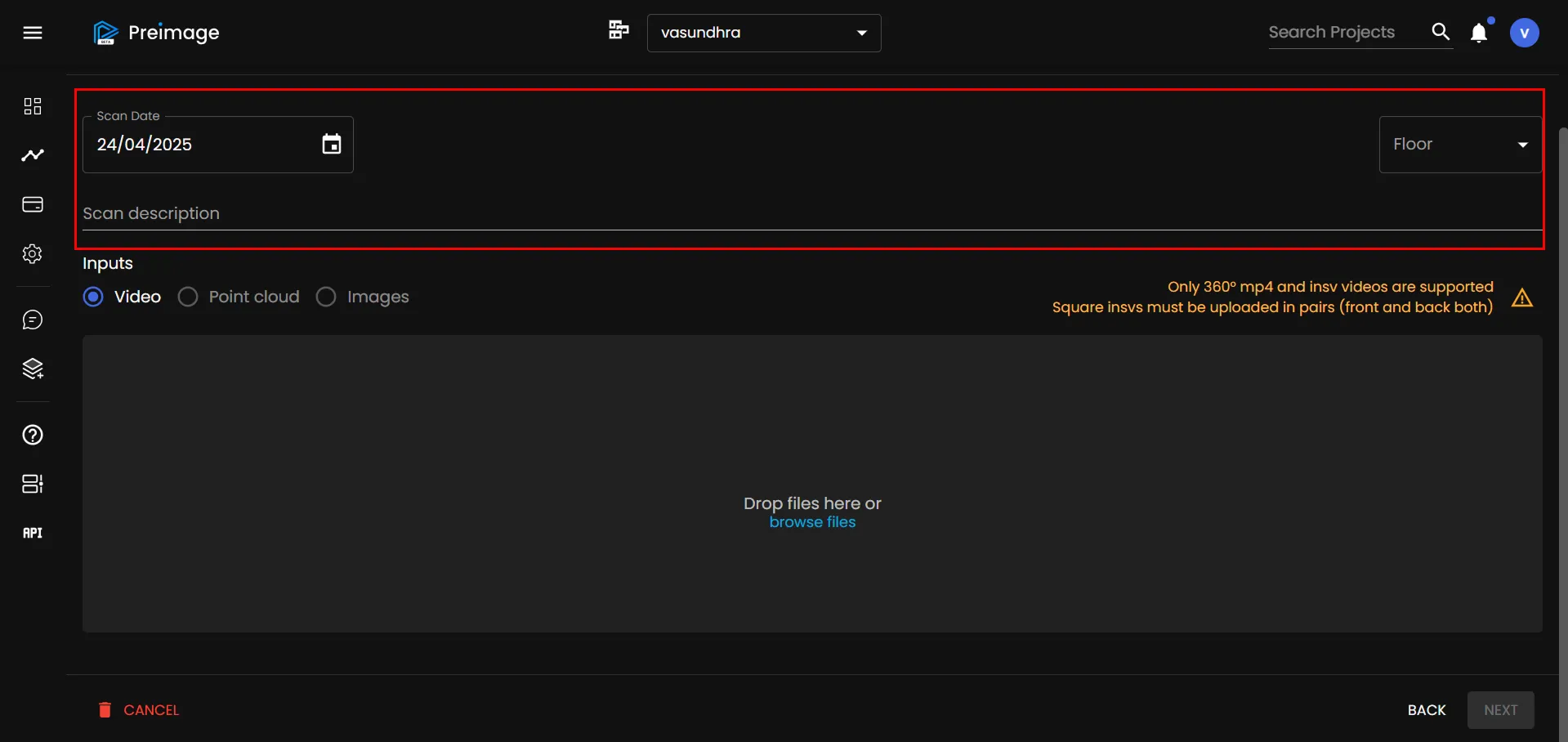
This helps you organize and retrieve scans easily later.
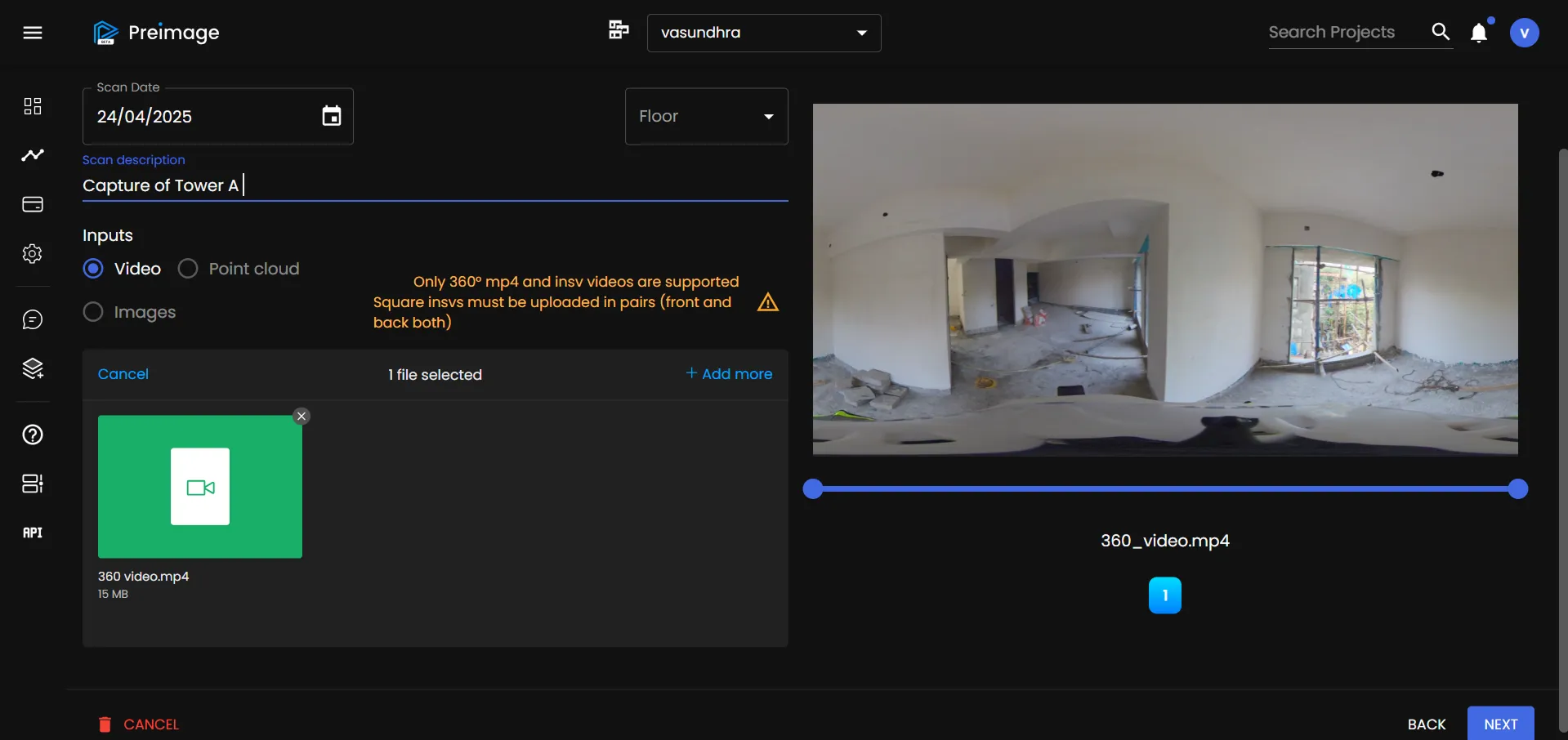
4. Preview & Confirm
When you upload a video, Preimage shows an automatic preview so you can verify it’s the right file.
5. Choose Output Options
Select the types of outputs you want Preimage to process:
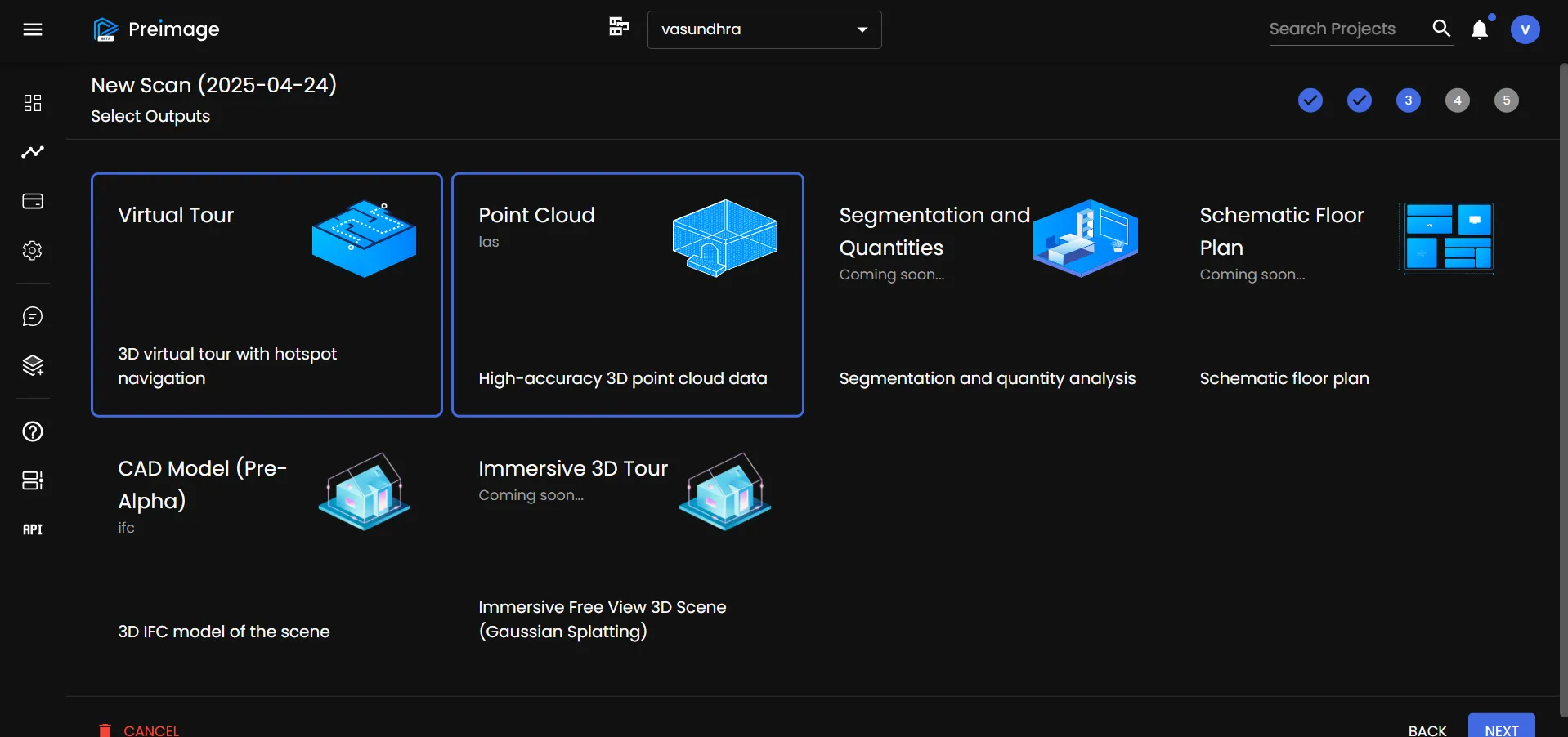
- Virtual Tour
- Point Cloud
- Segmentation
- Measurable 3D Model
- Floorplan or Vector Output (e.g. CAD or BIM)
6. Review Summary
A summary screen appears showing:
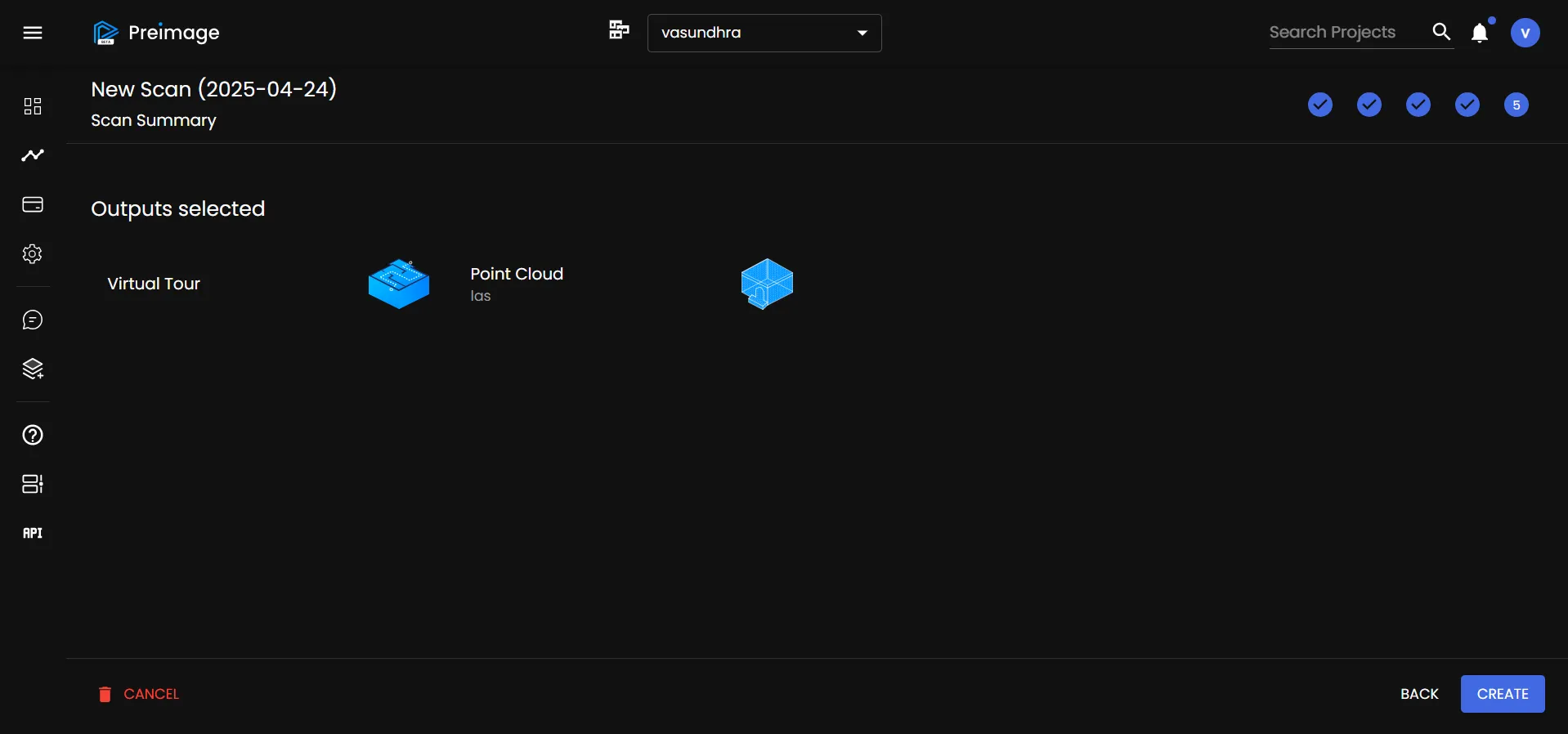
- File types
- Selected outputs
- Estimated processing time
7. Click “Create”
Preimage will begin processing your scan.
Automated outputs are delivered within 3 hours after upload is complete. Service outputs take 1–2 days on average. You can close the browser once upload and submission are confirmed.
Supported Upload Formats
| Scan input | Accepted files | File-count limit |
|---|---|---|
| 360° video | MP4 or INSV. MP4 must be a complete stitched panorama at 2:1. Include both original files for paired INSV recordings. | 5 files |
| Drone photographs | JPG or JPEG, with original EXIF metadata and one camera model per scan. | 2,000 photographs |
| Point cloud | PLY, LAS, LAZ, E57, PTS, or XYZ. Check units, coordinates, and color information. | 5 files |
For 360° capture, supported cameras are Insta360 X3, X4, X5, and ONE RS. Timelapse uploads require supported INSV recordings. Floorplans and supporting files have separate upload controls and restrictions.
See Upload Troubleshooting for rejected files, pairing issues, and interrupted transfers.