

Autodesk Integration
For workspaces with Autodesk integration enabled, Preimage supports reviewing accessible design models alongside captured site data.
Prepare the model
Confirm that your Autodesk account has access to the required project and model. Select the intended model and revision through the integration available in your workspace.
An existing Revit model viewed through Autodesk is a design reference. It is separate from the IFC or other files generated from a Preimage scan.
Compare the design with the capture
In the current viewer, use Views / Compare Mode and select BIM and a captured output through Layers. Check scale, orientation, floor, and model alignment before assessing differences.
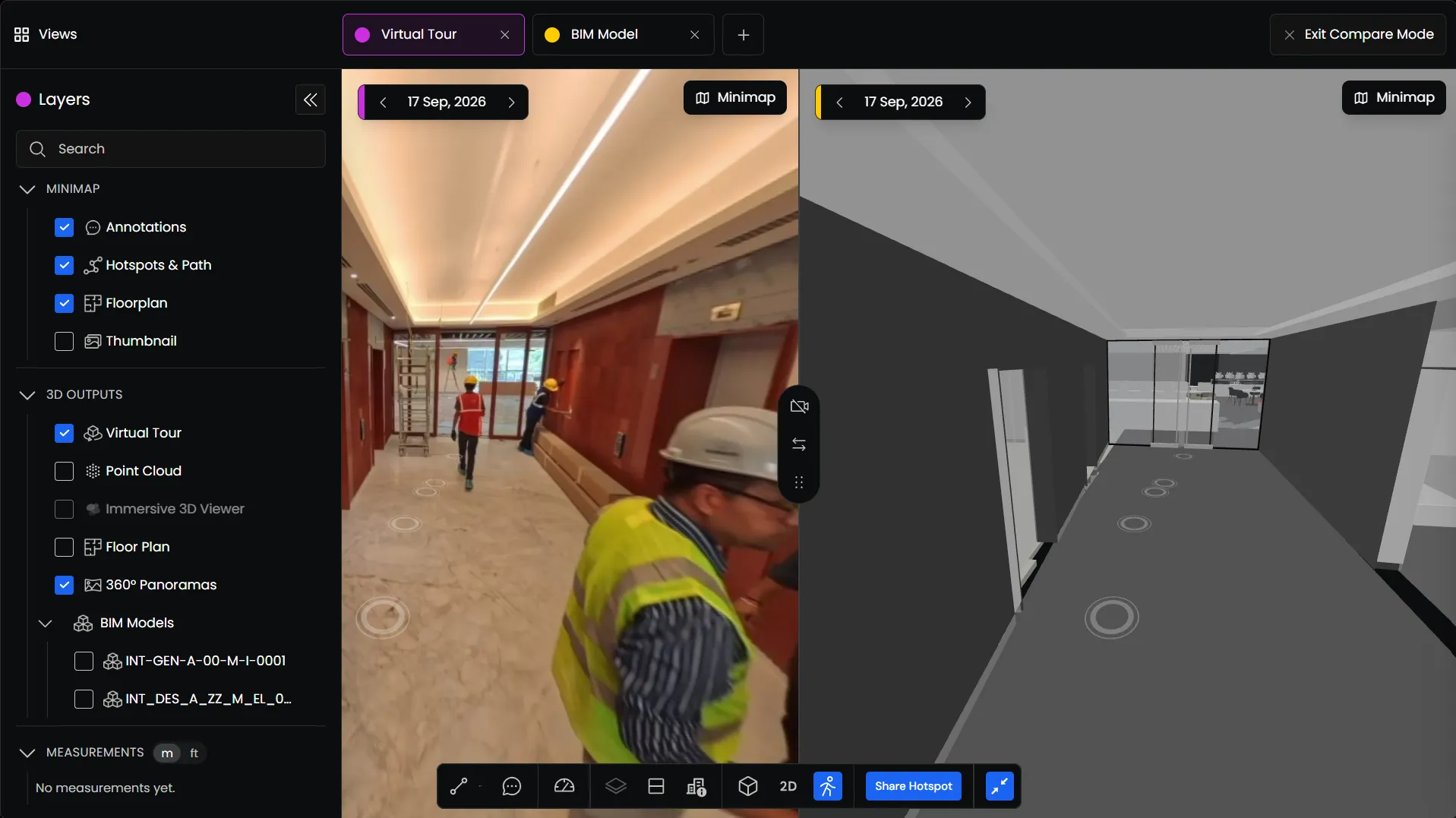
Use annotations to record a difference at its location, add supporting evidence, and assign it for review. Synchronized navigation helps inspect corresponding areas; it does not by itself validate registration.
See BIM & Floorplan Comparison for the viewer workflow.
If the model is unavailable
Check the workspace, your Autodesk permissions, model selection, and the selected scan. Contact support with the project and model details if the integration still cannot access it.